AI Services And Agent Stacks
Moltern's catalog includes AI-focused services that can be combined into chat systems, agent builders, model gateways, retrieval workflows, and evaluation stacks.
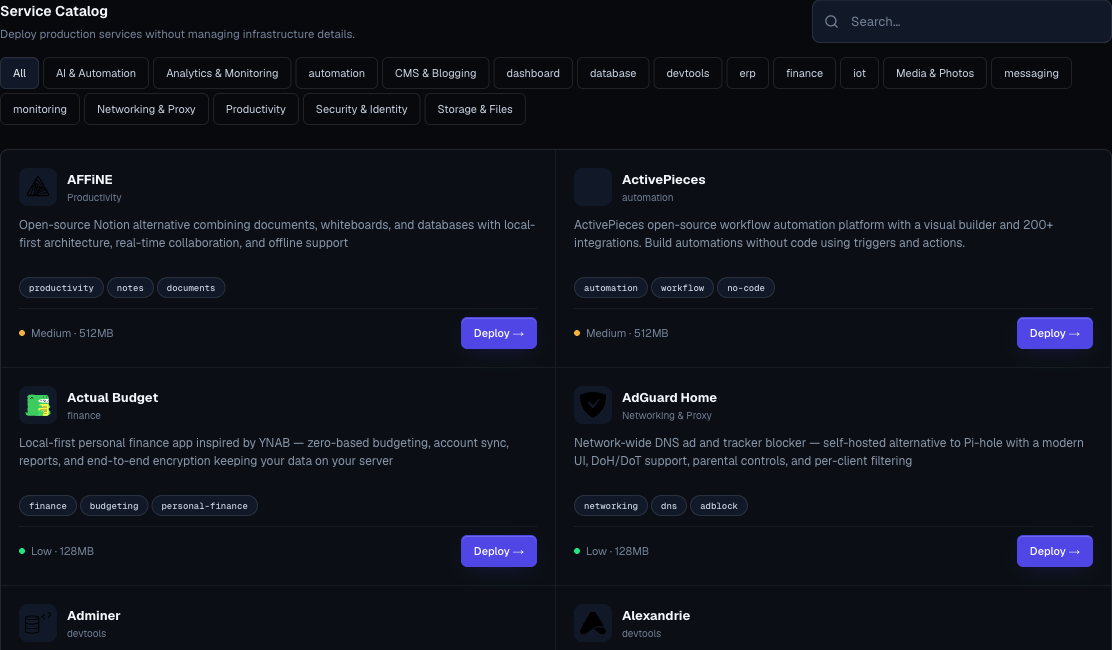
Common AI Building Blocks
| Building Block | Examples |
|---|---|
| Chat UI | Open WebUI, LibreChat, LobeChat, AnythingLLM |
| Agent, workflow, or pipeline builder | Flowise, Langflow, Mage AI |
| Model runtime or gateway | Ollama, LiteLLM, NewAPI |
| Vector database | Qdrant, Chroma, Weaviate |
| Observability and evaluation | Langfuse, Argilla |
| Search and translation | SearXNG, LibreTranslate |
| Labeling, pipelines, and data prep | Label Studio, Argilla, Mage AI |
The exact catalog can change. Use the in-app service docs and service catalog as the source of truth.
Pattern 1: Private Chat UI

Use this when a team needs a private AI chat interface.
Typical services:
- Chat UI service.
- Model runtime or external model provider.
- Optional model gateway.
- Optional vector database for knowledge retrieval.
Deployment flow:
- Create an
aiorproductionenvironment. - Deploy the model runtime or configure the external provider.
- Deploy the chat UI.
- Add required variables in the chat UI.
- Open the generated URL.
- Configure users and authentication inside the chat UI.
- Add a custom domain only after access control is ready.
Pattern 2: Agent Builder
Use this when teams want visual workflows, agent chains, or data pipeline orchestration.
Typical services:
- Flowise or Langflow.
- Mage AI for data pipeline orchestration.
- Model gateway or model runtime.
- Vector database.
- Optional observability service.
Deployment flow:
- Deploy the vector database if retrieval is needed.
- Deploy the model gateway or runtime.
- Deploy the agent builder.
- Add provider credentials as variables.
- Create a test workflow.
- Confirm logs and service status.
- Document which environment owns the stack.
Pattern 3: Model Gateway
Use a model gateway when multiple apps or tools should call AI providers through one managed endpoint.
Benefits:
- Centralized provider configuration.
- Easier spend tracking inside the gateway.
- Common authentication layer.
- One endpoint for several AI tools.
Do not expose a model gateway publicly without authentication and rate limits inside the gateway.
Pattern 4: Retrieval Stack
Use this when users need chat or agents over documents.
Typical components:
- Chat or agent UI.
- Embedding provider.
- Vector database.
- Optional document processing service.
- Optional observability.
Checklist:
- Decide which documents may be indexed.
- Confirm data owners approved indexing.
- Keep provider API keys in variables.
- Restrict public access until auth is configured.
- Monitor storage growth.
- Test retrieval with non-sensitive sample data first.
AI Security Guidance
- Do not paste production secrets into prompts.
- Do not index customer data without approval.
- Keep model provider keys in variables.
- Use separate environments for experiments.
- Avoid public access until service-level authentication is configured.
- Review service logs before sharing a new AI URL.
- Track who owns each AI stack.
AI Cost Guidance
AI workloads can grow quickly because they combine compute, storage, and external provider spend.
Before production use:
- Review Moltern plan limits.
- Check the size of model runtimes.
- Watch storage for vector databases.
- Set spend controls in external model providers.
- Use pay-as-you-go guardrails only with owner approval.
Example Stack Plans
| Goal | Suggested Stack |
|---|---|
| Team chat over local models | Open WebUI + Ollama |
| Multi-provider chat | LibreChat or LobeChat + LiteLLM |
| Visual agent workflows | Flowise or Langflow + LiteLLM + Qdrant |
| Data pipeline workspace | Mage AI + private database or warehouse credentials |
| Prompt and trace review | Langfuse + model gateway |
| Dataset labeling | Label Studio or Argilla |
| Search-assisted assistant | SearXNG + agent builder + model gateway |