Troubleshooting
Use this guide when the UI or a deployment does not behave as expected.
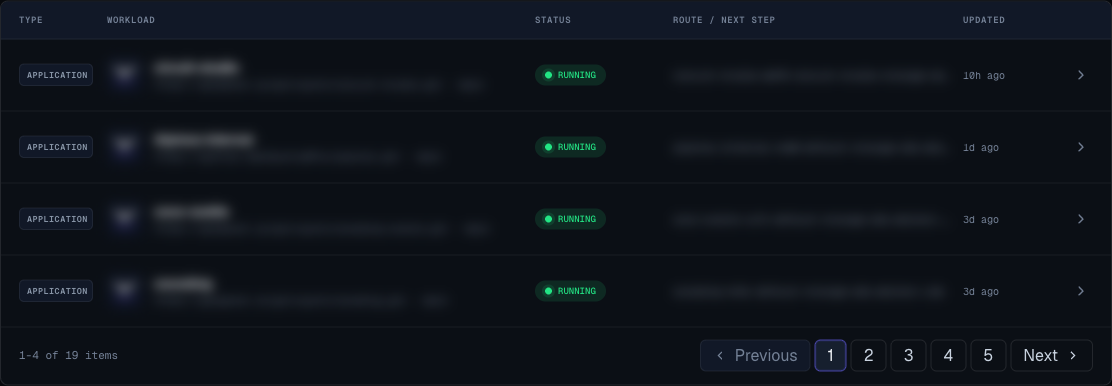
Cannot Sign In
Check:
- You are using the correct email address or OAuth provider.
- Your password is correct.
- Your browser allows cookies for Moltern.
- You are using the production Moltern URL.
- The OAuth popup was not blocked by the browser.
If OAuth succeeds but you return to login, try a private browser window. If that works, clear site cookies for Moltern and sign in again.
GitHub Repositories Do Not Appear
Check:
- The Moltern GitHub App was installed from the application creation flow.
- The GitHub popup was allowed by the browser.
- The GitHub installation includes the repository you want.
- Your GitHub organization does not require pending approval from an administrator.
- You clicked refresh after changing repository access.
If a repository is still missing, update the GitHub App installation and select the repository explicitly.
Application Deployment Fails
Open the application detail page and read the deployment logs.
Common causes:
- Repository URL is wrong.
- Branch does not exist.
- Private repository access was not granted.
- Build command fails.
- Start command exits immediately.
- App listens on a different port than Moltern expects.
- Required environment variables are missing.
- A build-time variable is marked only as runtime.
- The workspace has reached a plan or resource limit.
Fix the cause, then deploy again.
App Runs But The URL Does Not Work
Check:
- The deployment status is running.
- The app listens on the configured port.
- The health check path returns a success response.
- The app binds to all interfaces, not only local development.
- The generated Moltern URL exists.
- A custom domain is active before you use it publicly.
Static Site Shows The Wrong Version
Check:
- The expected deployment succeeded.
- The expected deployment is marked active.
- You promoted the desired deployment when using static-site releases.
- Browser cache is not showing an older asset.
If the latest release is bad, use rollback or promote a known-good deployment where available.
Service Deployment Fails
Open the service detail page and check status, logs, and recovery guidance.
Common causes:
- Required configuration field is empty.
- Password or required value does not meet service requirements.
- Workspace quota is too small.
- The selected service variant is larger than expected.
- A dependency service failed.
- Storage or resource changes are blocked by plan limits.
Service Is Sleeping
Sleeping means Moltern paused the service after inactivity to save resources.
You can:
- Open the service URL and wait for it to wake.
- Click Wake service on the service detail page.
- Upgrade to a plan that avoids sleeping behavior if the service must stay warm.
Custom Domain Remains Pending
Check:
- The domain was typed correctly.
- You copied the exact records shown in Moltern.
- The records were added at the correct domain provider.
- You waited for propagation.
- You clicked Check now after adding records.
Do not use example values from another environment. Use only the values shown on the workload detail page.
Resize Is Blocked
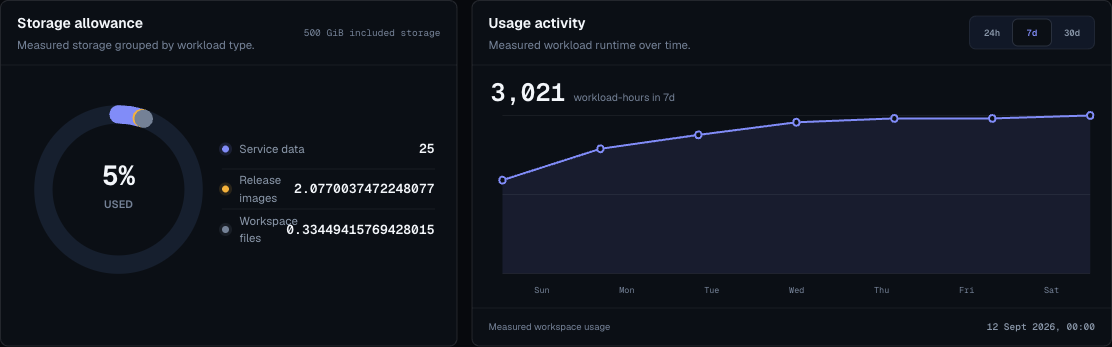
Open Billing and review:
- Current plan.
- Workload quota.
- Reserved CPU and RAM.
- Storage allowance.
- Pay-as-you-go eligibility and cap.
- Resize preview warnings.
Reduce requested size, remove unused workloads, enable an approved overage cap, or change plan before retrying.
Webhook Does Not Fire
Check:
- The endpoint URL starts with
https://. - The correct event type is selected.
- The deployment event actually occurred after endpoint creation.
- The receiving system accepts the payload.
- The signing secret configured in the receiver matches the endpoint secret.
Environment Cannot Be Deleted
An environment must be empty before deletion.
- Open applications and services.
- Find workloads in that environment.
- Delete or move them.
- Check for dependency services.
- Retry deletion.
When To Ask For Help
Ask a workspace owner or Moltern support when:
- You cannot access a workspace you should belong to.
- A production deployment repeatedly fails after the logs are fixed.
- A domain remains pending after correct records are applied and enough time has passed.
- Billing shows unexpected usage.
- A stateful service needs recovery and you are not the service owner.