Moltern Overview
Moltern is a platform for deploying applications, databases, AI tools, automation services, and internal software into a workspace your team can operate from one console.

What You Can Do In Moltern

| Area | What It Helps You Do |
|---|---|
| Dashboard | See the health of your workspace, recent deployments, failed workloads, and next actions. |
| Organization | Manage workspaces, people, groups, scoped roles, security policy, audit, identity, approvals, and cost ownership. |
| Applications | Deploy Git repositories as web services or static sites with build logs, routes, rollbacks, variables, and sizing controls. |
| Services | Launch one-click catalog services such as databases, AI tools, analytics, CMS, automation, identity, and storage apps. |
| Environments | Separate production, staging, development, and preview work inside the same workspace. |
| Domains | Attach a custom domain to an application or service and verify it from the UI. |
| Variables And Secrets | Add runtime and build-time configuration without committing sensitive values to source code. |
| Billing And Usage | Review plan limits, resource usage, storage, workload quotas, subscriptions, invoices, and pay-as-you-go guardrails. |
| Webhooks | Send deployment success or failure events to external systems. |
| Service Docs | Read per-service setup notes from the in-app service documentation area. |
The Basic Workflow
- Sign in or create a Moltern account.
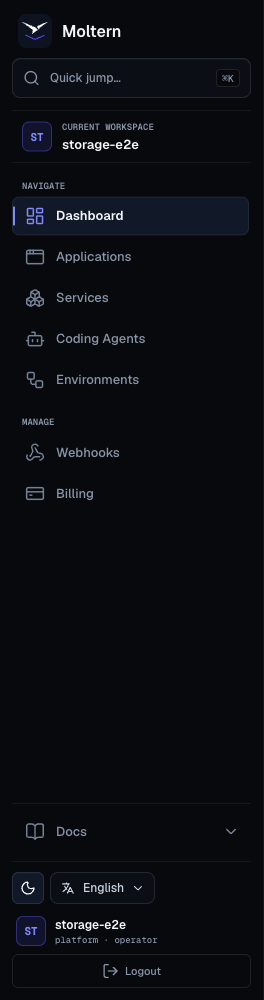
- Confirm the active organization and workspace in the sidebar.
- Create an environment group and at least one environment.
- Deploy an application from Git or choose a service from the catalog.
- Watch deployment status and logs.
- Open the generated Moltern URL.
- Add any required custom domain records.
- Configure variables, storage, scaling, and billing guardrails.
- Use dashboard filters and runbooks when a workload needs attention.
Workload Types
Moltern uses the word workload for anything the platform runs for your workspace.
| Workload | Use It For |
|---|---|
| Web service application | APIs, server-rendered apps, backends, workers with an HTTP port, and app servers. |
| Static site application | Frontend builds, documentation sites, marketing pages, and other static assets. |
| Catalog service | Databases, queues, AI tools, analytics systems, CMS platforms, and internal tools. |
| Database service | PostgreSQL, MySQL, Redis, MongoDB, vector databases, and similar stateful services deployed from the catalog. |
| AI service stack | Chat UIs, model gateways, agent builders, observability tools, and vector stores combined in one environment. |
Public Documentation Scope
These docs are written for people using Moltern from the product UI. They do not require direct access to the underlying platform, and they avoid internal deployment details that customers do not need.
For day-to-day usage, start with: