Applications
Applications are Git-backed workloads that Moltern builds, deploys, routes, and monitors.
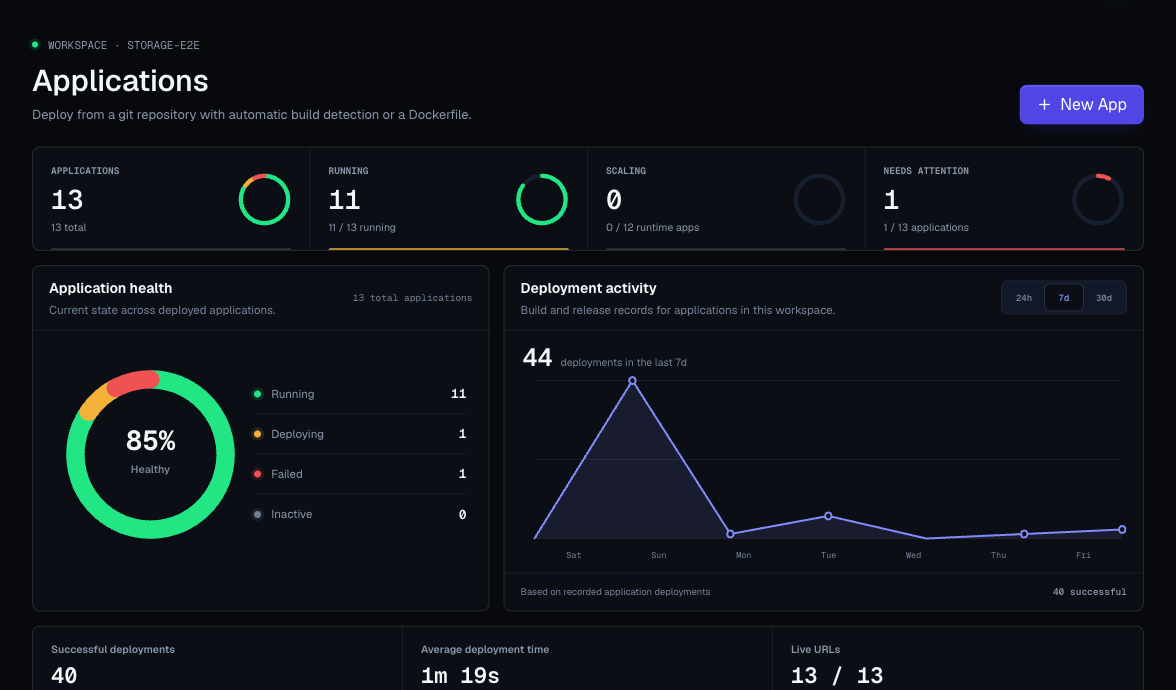
Use applications for code you own:
- Web services.
- APIs.
- Frontend sites.
- Server-rendered apps.
- Static sites.
- Dockerfile-based services.
- Workers with an HTTP endpoint.
Application Types
| Type | Use It When |
|---|---|
| Web service | Your app runs a process and listens on a port. Examples: Node, Go, Python, Ruby, Java, Rust, PHP, and API servers. |
| Static site | Your repository builds static assets that can be served without a running app server. |
| Dockerfile app | Your repository includes a Dockerfile and you want Moltern to build from it. |
What Moltern Tracks
Each application has:
- Name and slug.
- Environment.
- Repository and branch.
- Automatic build or Dockerfile setting.
- Build commands and start command overrides.
- Runtime port and health check path.
- Generated Moltern URL.
- Custom domains.
- Environment variables.
- Private service connections for backend workloads.
- Deployment records.
- Logs.
- Active deployment pointer for static sites.
- Fixed or automatic instance scaling when supported.
- CPU and RAM sizing for each runtime instance.
- Optional shared filespace for web service apps.
Application Lifecycle
- Create the application from a repository.
- Add variables and build-time settings.
- Deploy the first version.
- Watch logs until the deployment succeeds.
- Open the generated Moltern URL.
- Add a custom domain if needed.
- Open Capacity, review the scaling and billing impact, then apply the change.
- Roll forward with new deployments or roll back when a static-site release should be restored.
Source Access
Moltern can use connected GitHub repositories or a manually entered repository URL.
For private GitHub repositories, install the Moltern GitHub App from the application creation flow. The GitHub popup lets you select the repositories Moltern can deploy. It does not change your Moltern login identity.
For public or manually entered repositories, paste the repository URL and choose the branch.
Good Application Defaults
- Keep production and staging apps in separate environments.
- Set the correct port before deploying if auto-detection cannot infer it.
- Keep secrets in Moltern variables, not in repository files.
- Use build variables only when a value is needed during the build.
- Connect private services from the app settings instead of exposing databases publicly.
- Add a health check path that returns quickly.
- Deploy once before adding a custom domain.
- Review logs before retrying a failed deployment.