Safe Deletion
Deletion removes workloads and can remove related resources. Treat production deletion as a change that requires review.
Delete An Application
Before deleting an application:
- Confirm workspace and environment.
- Confirm the app name.
- Confirm the owner approved deletion.
- Remove or document custom domains.
- Confirm no users depend on the generated URL.
- Confirm release history is no longer needed.
- Confirm variables do not need to be migrated.
Application deletion is not a rollback. If you need to restore a version, deploy a corrected commit or promote a previous static-site deployment when available.
Delete A Service
Services use a safer preview flow.
The delete preview can show:
- Main service name.
- Dependencies that will be removed.
- Migration or deletion class.
- Whether a storage snapshot-like protection is expected.
- Whether stored data will be removed or kept for later cleanup.
Read the preview before confirming.
Service Data Cleanup
Many services keep files or database data. When the delete flow offers a storage choice:
- Choose Delete stored data when the service is temporary or the data has already been exported.
- Choose Keep stored data only when you need a recovery window or a later migration.
Kept data can continue to count toward workspace storage until it is purged. Review Billing after deletion to confirm the final storage state.
Delete Dependency Services
Do not manually delete a dependency service unless you understand the parent service relationship.
Preferred flow:
- Open the parent service.
- Review dependencies.
- Use the parent service deletion flow.
- Confirm the preview includes the expected resources.
Delete An Environment
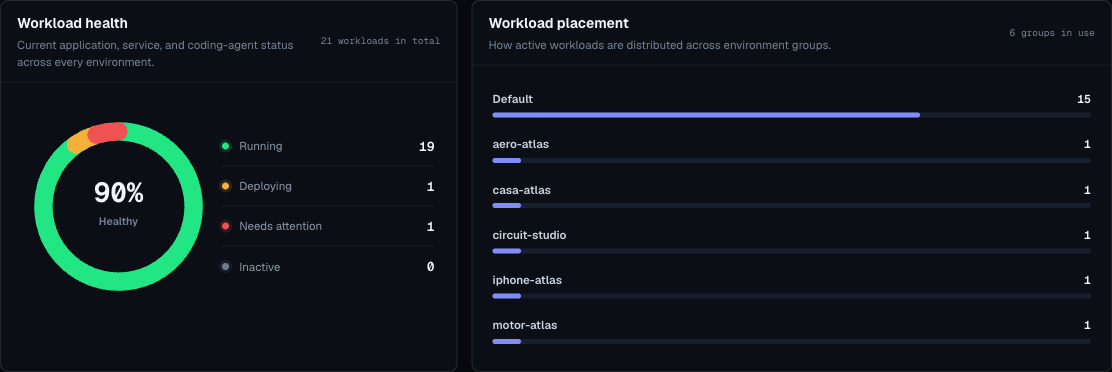
An environment must be empty before deletion.
If deletion fails:
- Check applications filtered to that environment.
- Check services in that environment.
- Check dependencies.
- Delete or move workloads.
- Retry deletion.
Delete An Environment Group
Delete an environment group only after all child environments are empty and no team still uses it for deploys.
Deletion Approval Checklist
- Correct workspace.
- Correct environment.
- Correct workload.
- Owner approval.
- Public domains reviewed.
- Dependencies reviewed.
- Storage reviewed.
- Billing impact understood.
- Recovery path known.
After Deletion
After deletion:
- Refresh the dashboard.
- Confirm the workload no longer appears.
- Check billing usage later for storage or workload count changes.
- Purge kept data from Billing when the recovery window is over.
- Remove stale documentation or bookmarks.
- Update external systems that pointed to the workload URL.