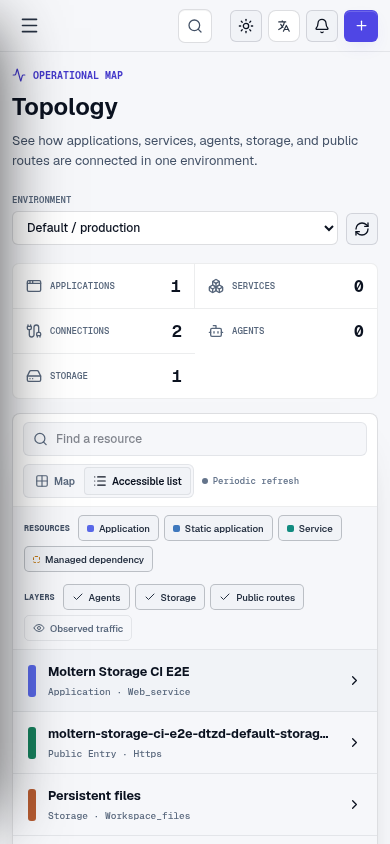
Environment Topology
Topology is a visual map of one environment. It helps you understand what is running, what each workload depends on, and which resources are deliberately connected.
Open Topology from the workspace navigation, then select an environment.
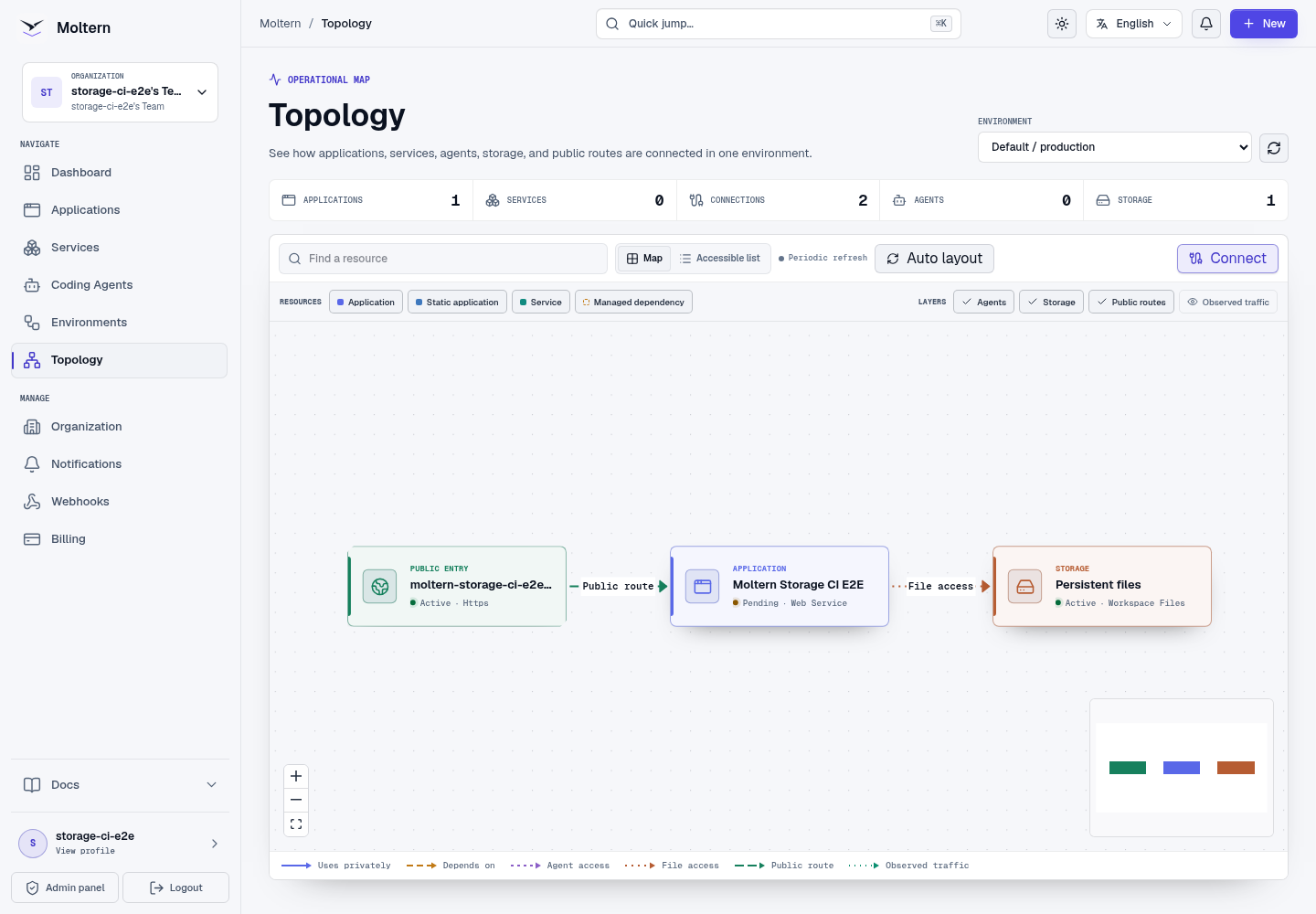
What The Map Shows
| Label and visual | Meaning |
|---|---|
| Application, indigo application icon | A running application |
| Static application, blue application icon | A static application |
| Service, teal catalog icon | A catalog service you deployed |
| Managed dependency, amber dashed border | A supporting service managed with its parent |
| Coding agent, violet provider logo | An agent workspace and its granted context |
| Storage, rust storage icon | A logical persistent storage allocation |
| Public entry, green clipped-corner node | A live URL or active public route |
Nodes show both a type label and status. Their colors and shapes help scanning, but color is not required to understand the map.
Read The Lines
Every line has a direction and a visible label:
| Label | Meaning |
|---|---|
| Uses privately | The source workload is configured to use the target private service. |
| Depends on | The supporting service is managed as part of its parent service. |
| Agent access | The coding agent has the scoped access shown in the relationship details. |
| File access | The workload uses the logical storage allocation. |
| Public route | A public entry sends requests to the workload. |
| Observed traffic | Requests were recently observed during the displayed time window. |
Configured lines remain valid even when no traffic has occurred. Observed traffic is time limited and does not grant access. No recent observation does not mean that a configured connection is broken.
Line meaning never depends on color alone. Solid, long-dashed, short-dashed, dotted, and animated patterns distinguish relationship types; every line also has a direction arrow and visible name. The legend under the map uses the same pattern and label as the canvas.
When Observed traffic is enabled, Moltern states whether telemetry is not connected, unavailable, absent from all eligible workloads, available for only part of the environment, quiet during the selected time window, or fully available. Configured connections remain visible in every state.
Find And Inspect A Resource
- Use Find a resource to filter by visible name, type, provider, or status.
- Toggle applications, services, dependencies, agents, storage, and public routes without changing the underlying resources.
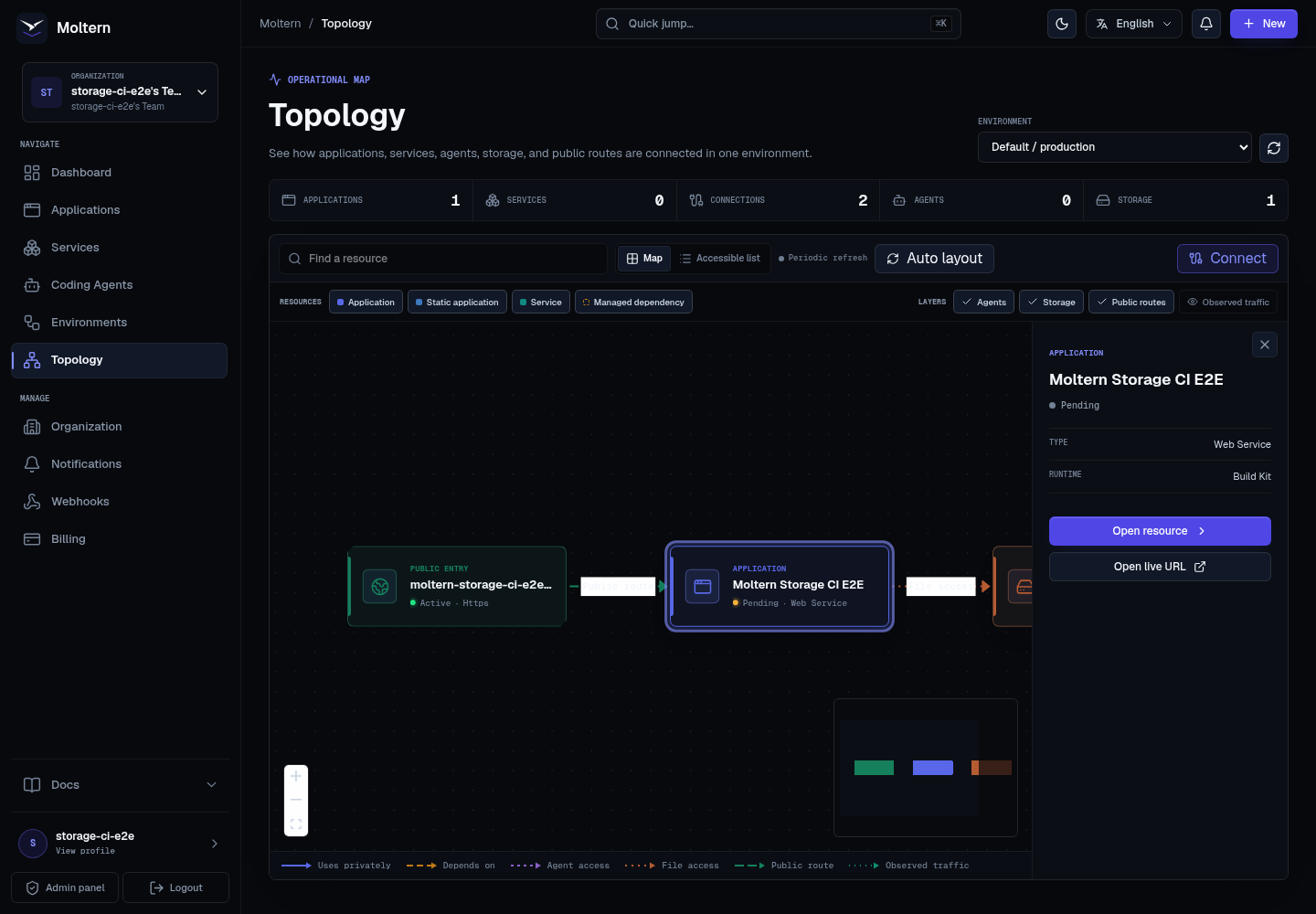
- Select a node to view safe details and open its existing Moltern page.
- Select a line to read its relationship type and available action.
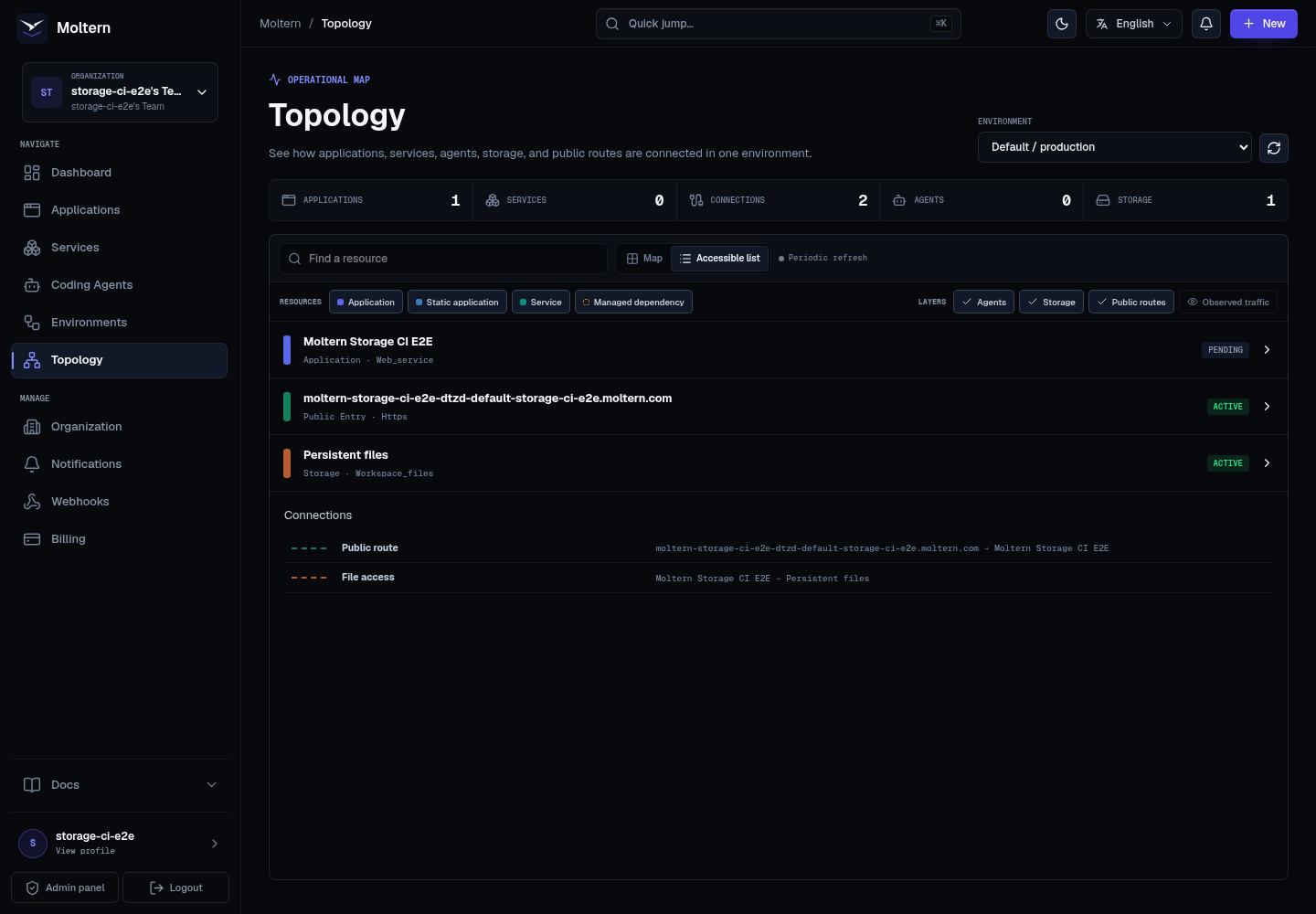
- Use Accessible list for the same resources and relationships without the canvas.
- Drag nodes to arrange your own view. Moving a node never changes a real connection.
Filters, view mode, layers, and environment are kept in the URL. A refreshed or shared workspace URL restores the same view for another authorized member.
The Accessible list presents the same authorized resources and named relationships without requiring a canvas interaction.
What You Can Change On The Canvas
Topology is an operational view, not a free-form diagram editor. An action on the canvas either changes only your view or performs a supported Moltern operation:
| Action | Result |
|---|---|
| Drag a node | Saves its visual position for your workspace view. The workload and its connections do not change. |
| Drag from a named source handle to a compatible target | Opens a review for a real private service connection. Nothing changes until you confirm it. |
| Select an editable Uses privately line | Shows the relationship and its Disconnect action. |
| Select any other line | Shows its meaning and status. System-derived relationships are read-only on the topology canvas. |
Managed dependencies, agent grants, storage access, public routes, and observed traffic are managed by their owning product workflow. For example, change an agent grant from the coding-agent permissions screen and change a domain from the application's domain settings. This prevents the canvas from creating a line that does not correspond to real Moltern configuration.
Connect Two Resources
When Connect is available:
- Select Connect.
- Connect an eligible backend application or development service to a private service. Drag from the source handle to the target, or focus each named handle and press Enter.
- Review the source, target, variable names, and runtime impact.
- Confirm the change.
- Wait for the source workload to reconcile.
This creates a real private service connection. Moltern does not save decorative lines. Static applications and services that do not expose private connection details cannot be connected.
To remove an editable private connection, select its line and choose Disconnect. Moltern may request account confirmation for this protected action. The source is reconciled without the connection; the target service and its data stay in place.
Creating or removing a connection can restart an application or reconcile a development service. The confirmation step shows that impact before Moltern changes the relationship. A failed reconciliation remains visible so you can review the source workload instead of assuming the line was only decorative.
Live Updates
Topology refreshes after application, service, agent, route, status, and connection changes. The status near the toolbar indicates live updates, reconnection, or periodic refresh.
If a refresh fails, Moltern keeps the last verified map visible and marks it as stale. Retry before making operational decisions from an old snapshot.
Large Or Empty Environments
An empty environment shows an empty map rather than inventing placeholder resources. Very large environments are rejected with guidance instead of silently hiding nodes or lines. Split unrelated workloads into clearer environments when one operational map becomes difficult to understand.
On a small screen, Moltern opens the list first and keeps every resource and relationship detail available without horizontal page scrolling.